
Browser extension
LION
LION checks the swap you're about to make against LI.FI's best route — right on the page — and lets you take it in one click with the wallet you already use.
Free to install · Desktop Chrome, Edge, Brave and other Chromium browsers
- Comparing is free. Swapping through LION adds 0.10% on top of LI.FI's fee, shown before you confirm.
- Never holds your keys or funds — every swap is confirmed in your own wallet.
- No account, no tracking, no ads.
Install in three steps
Add it from the Chrome Web Store
Open LION's store page ↗ and click “Add to Chrome”, then “Add extension”.
Pin it to the toolbar
Click the puzzle-piece icon next to the address bar and pin LION, so it's always one click away.
Trade as usual
Open Uniswap, PancakeSwap, GMGN or another supported site and start a swap: LION's comparison appears beside it. Or click the LION icon to swap from any page.
How to use it
Compare on DEX sites
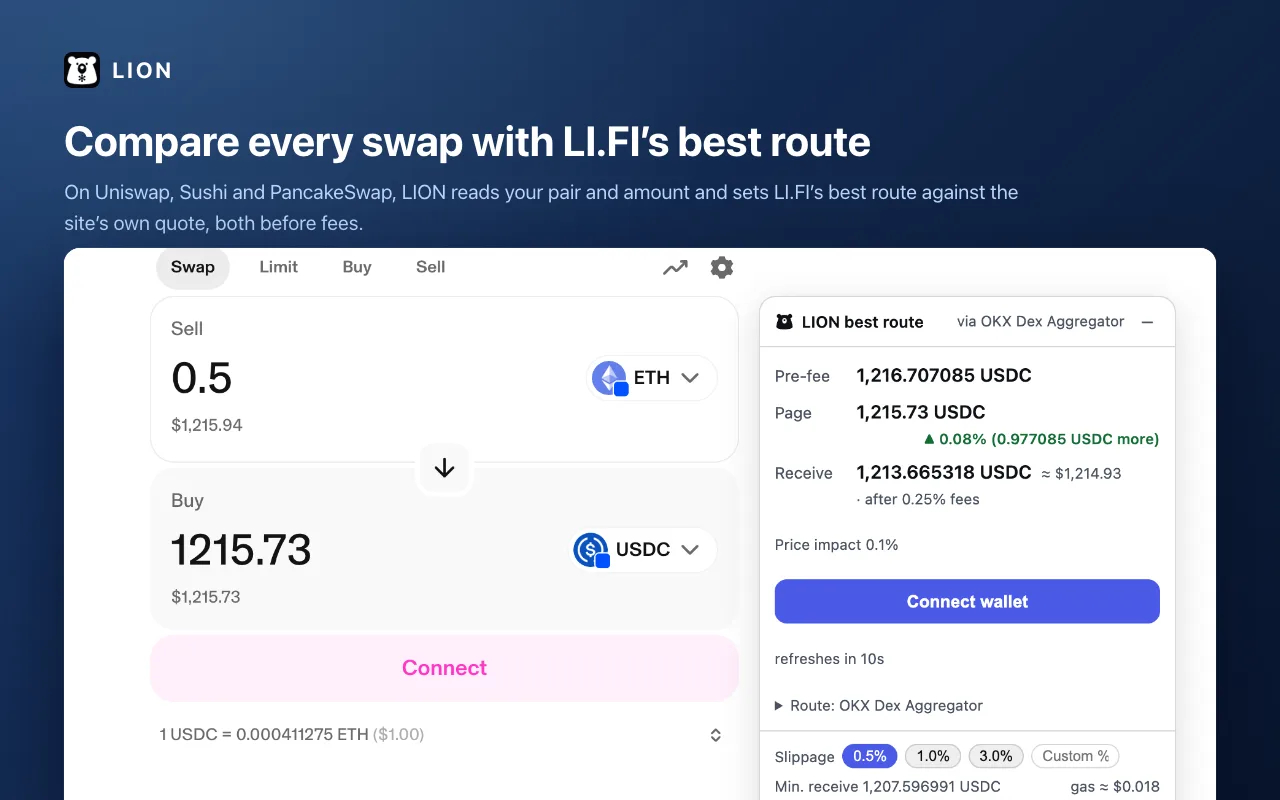
On Uniswap, Sushi and PancakeSwap, LION reads the pair and amount you enter and shows LI.FI's best route beside the site's own quote, both before fees. The verdict says plainly which is better — including when the site is.
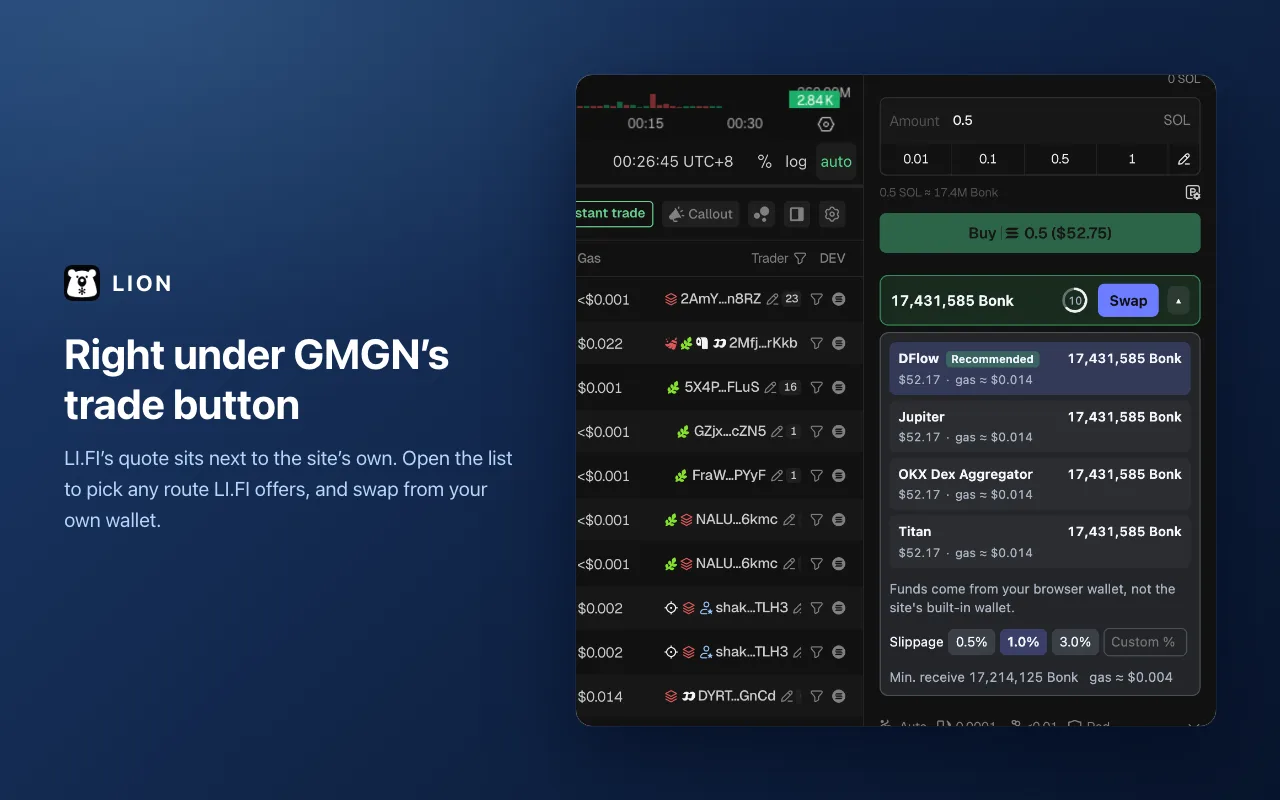
Right under the trade button
On GMGN, Four.meme, Flap and Pons, LION adds a line under the trade button. Open it to see every route LI.FI offers, each with its payout and gas, and swap from your own wallet.
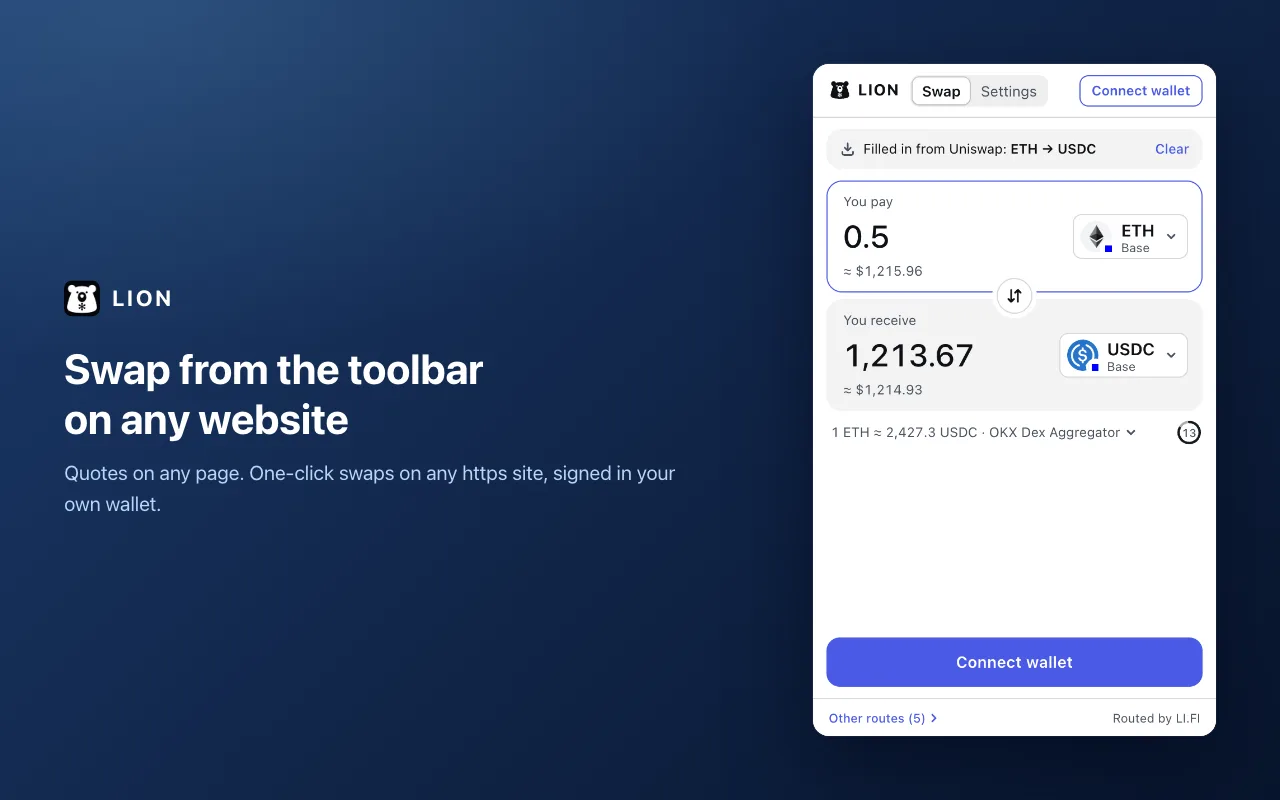
Swap from the toolbar
Click LION's icon on any page to get quotes for any pair. On any https site you can trade right there, signed in your wallet.
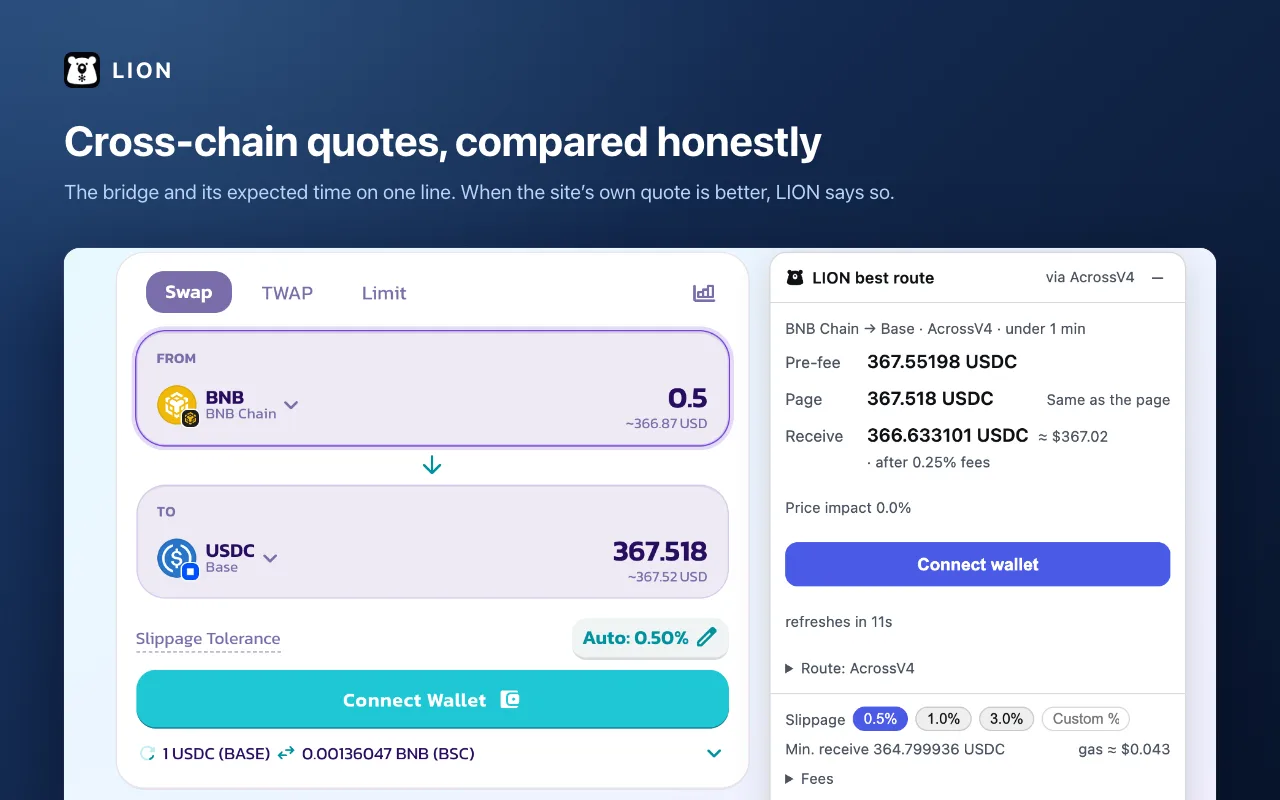
Cross-chain in one view
Pairs that cross chains are priced too, with the bridge and its expected time on one line. Swaps between two EVM chains take one click.
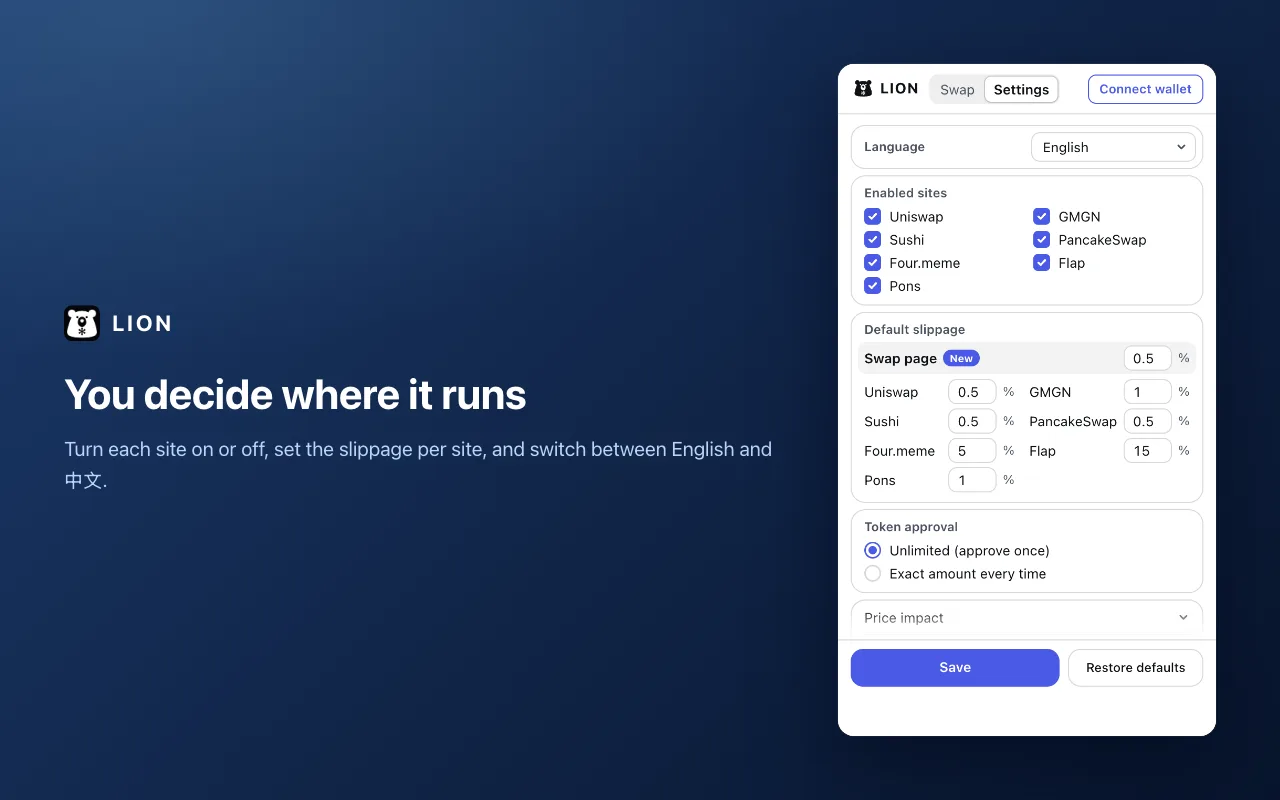
You decide where it runs
Turn each site on or off, set the slippage per site, choose how token approvals are made, and switch between English and 中文.
Fees, and where they go
Comparing quotes is free. When you swap through LION, it adds 0.10% on top of LI.FI's own fee, and the quote shows the combined fee before you confirm. LION's fees go to Pixel Bears holders, who will claim their share on this site.
About Pixel Bears →Stay safe
- LION never sees your private keys or recovery phrase.
- Every approval and every swap appears in your wallet — check it before you confirm.
- LION is independent and not affiliated with LI.FI or the sites it works on.
Questions
Which browsers and wallets work?
Desktop Chrome and other Chromium browsers such as Edge and Brave. It works with EIP-6963 wallets such as MetaMask and Rabby, and with Solana wallets such as Phantom.
Why is the site's own quote sometimes better?
Both sides are compared before fees, the way the site quotes. When the site comes out ahead, LION says so — use whichever is better.
What does LION send, and to whom?
Quote requests go from your browser to LI.FI with the tokens, the amount and your wallet address. Your settings stay in your browser.
Privacy policy ↗Does LION cost anything?
Installing and comparing are free. Swapping through LION adds 0.10% to LI.FI's fee; you see the total before you confirm.